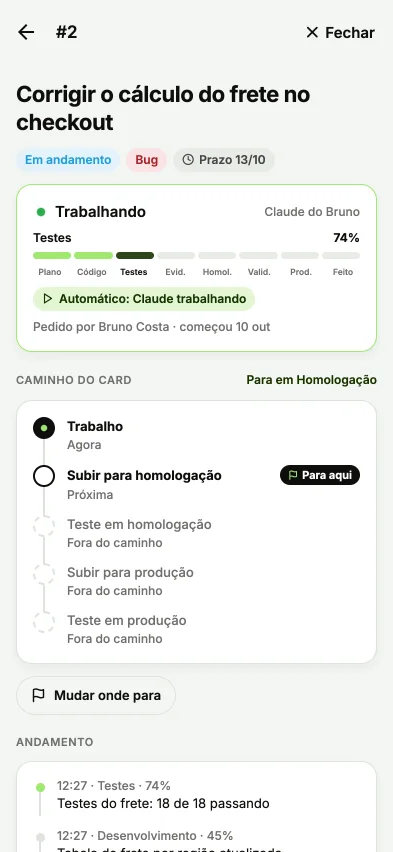
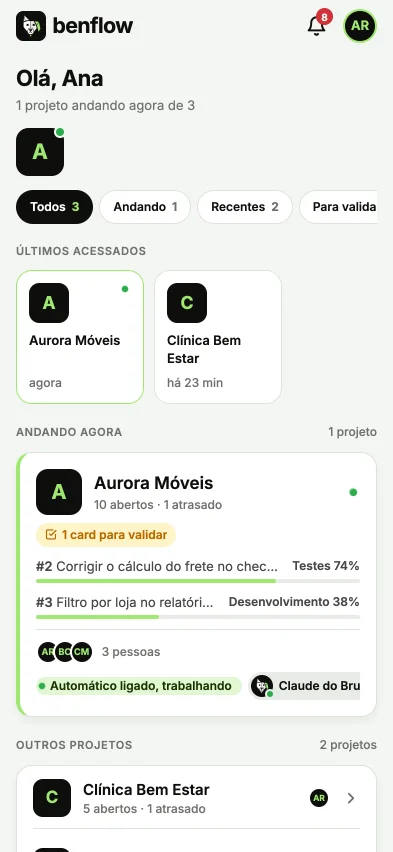
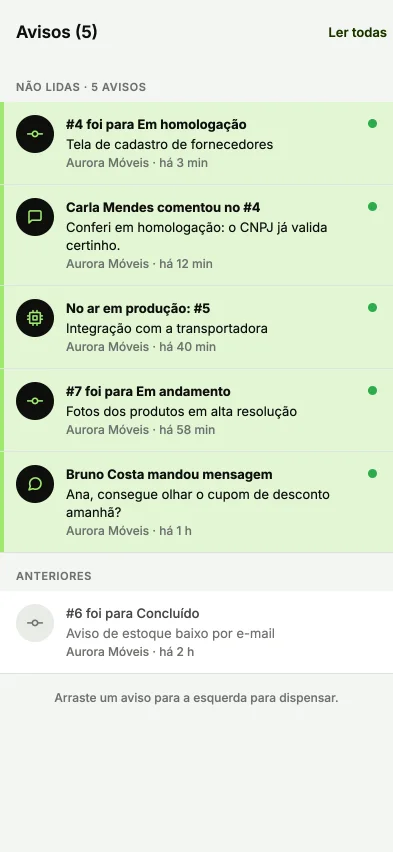
From study to live post
The AI Team studies your project, creates pieces with your brand, builds the schedule and posts on its own to Instagram, LinkedIn and Facebook.

Four steps, no agency
Study, piece, schedule and live post, with pieces from the sample project Aurora Móveis.
Estudo
The project's persona, audience, business and SWOT.
Marketing study
Aurora Móveis
Rita, the owner of the new apartmentPersona: couples aged 30 to 45- Strengths
- Guaranteed deadline
- Weaknesses
- Little presence on LinkedIn
- Opportunities
- New buildings in the area
- Threats
- Ready-made furniture
Peça
Reference and art with your brand become the piece.

Brand reference Line illustration 
Agenda
The pieces on the days of the month, ready to go out.
Month schedule
ScheduledPublished
Each piece on the right day and at the right time for the network.
In the list
 Before and after: Rita's kitchenDay 10, 12:00Scheduled
 Home office in 2 m²Day 13, 09:00Scheduled
- Kitchen ready in 45 daysDay 15, 18:00Published
Live
At the scheduled time, benflow publishes on its own.
9:41auroramoveisPublished on Instagramauroramoveis From the 3D design to installation in 45 days, with the deadline in the contract.
Aurora MóveisPage
Your project delivered on time, with every stage tracked.
 Published on LinkedIn

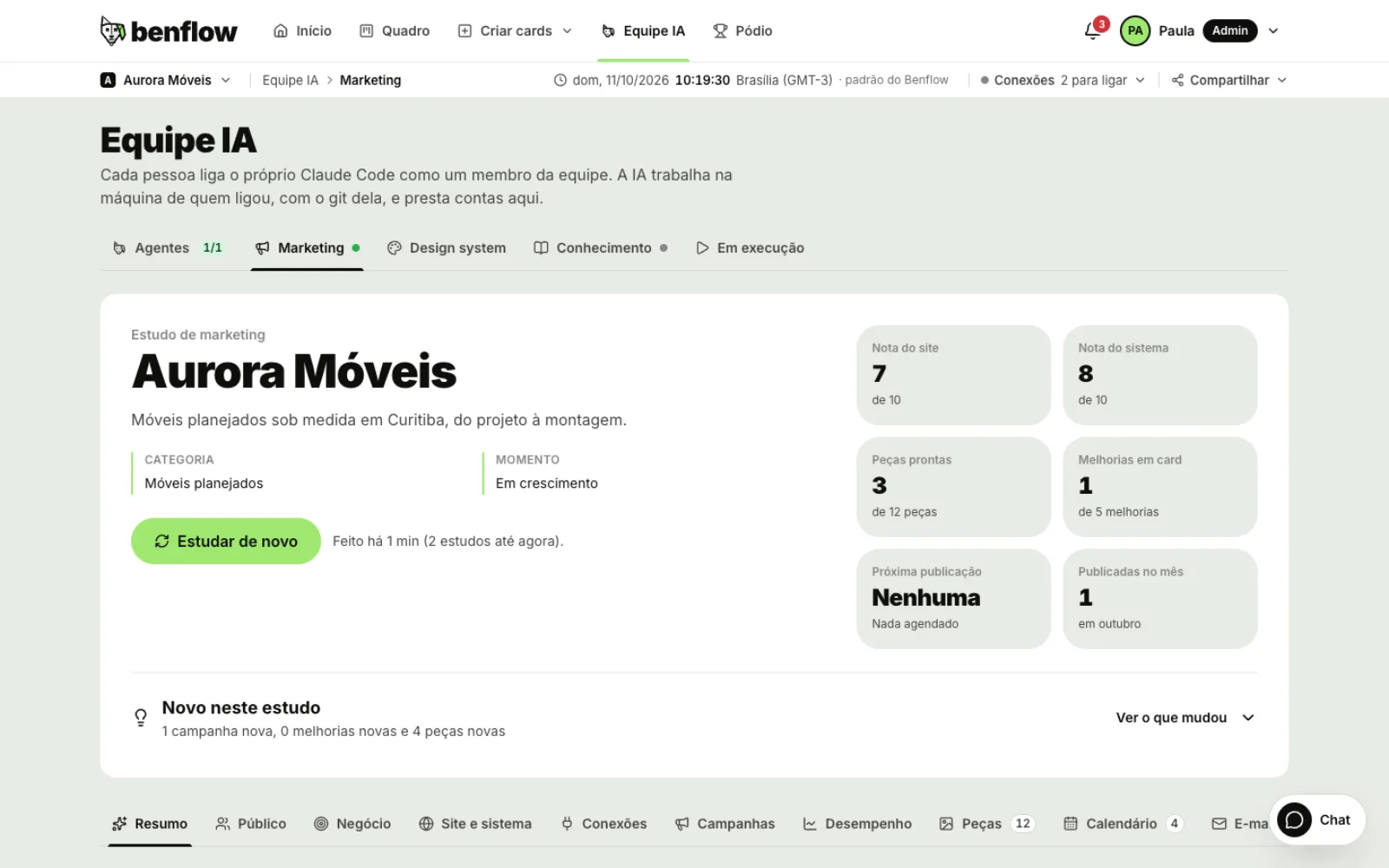
Marketing up close
Real dashboard screens, in the sample project Aurora Móveis.
An agency that studies your project
The AI reads the code, the notes, the cards, the site and the connected data, and builds the project's marketing study.
- Personas: what they want, what hurts, triggers and objections
- Business: differentiators, pricing, competitors and SWOT
- A 0 to 10 score for the site and the system
- A new study every day, at the time you choose
- The whole study to download as ESTUDO.md
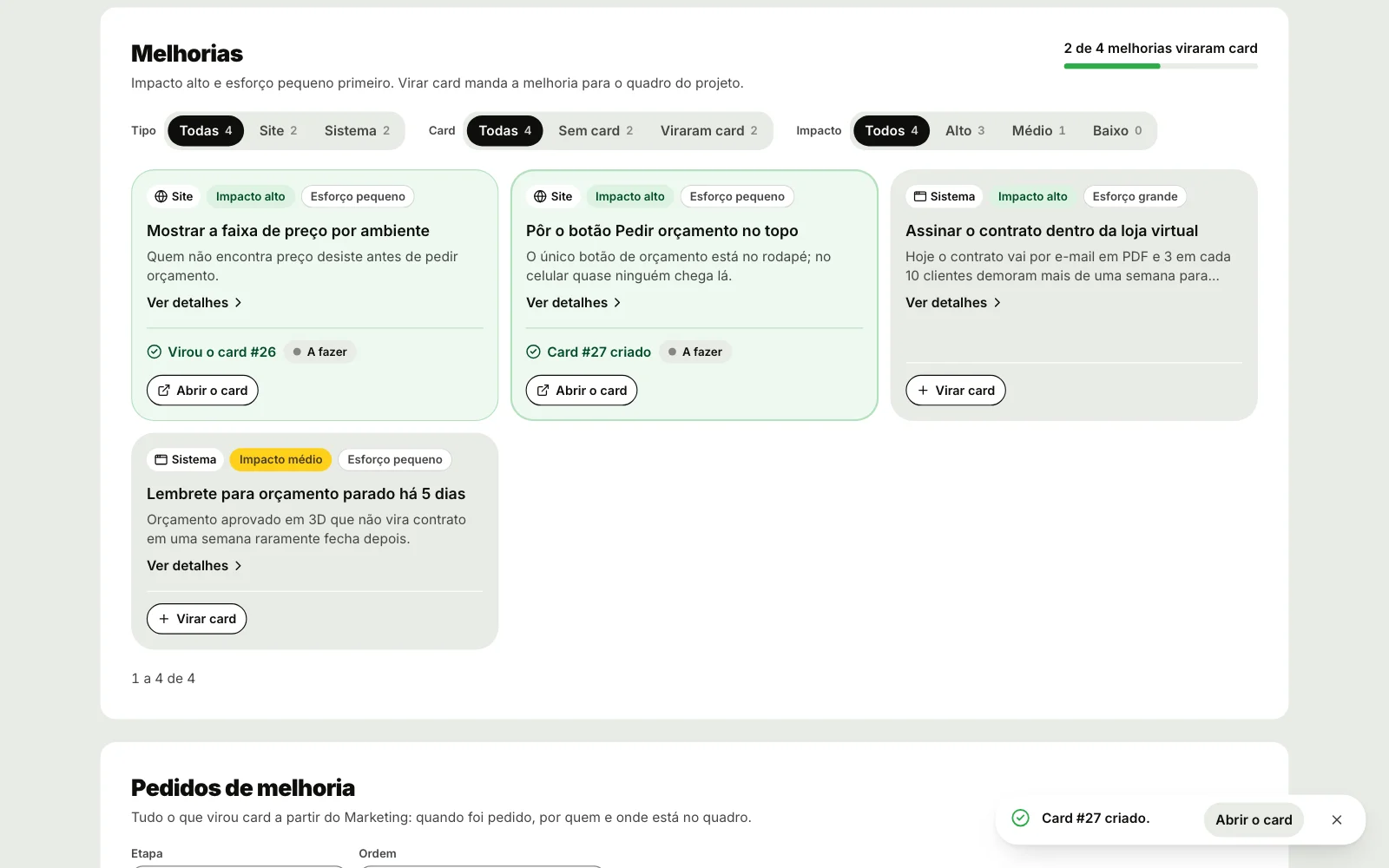
Pieces with your brand, in batches
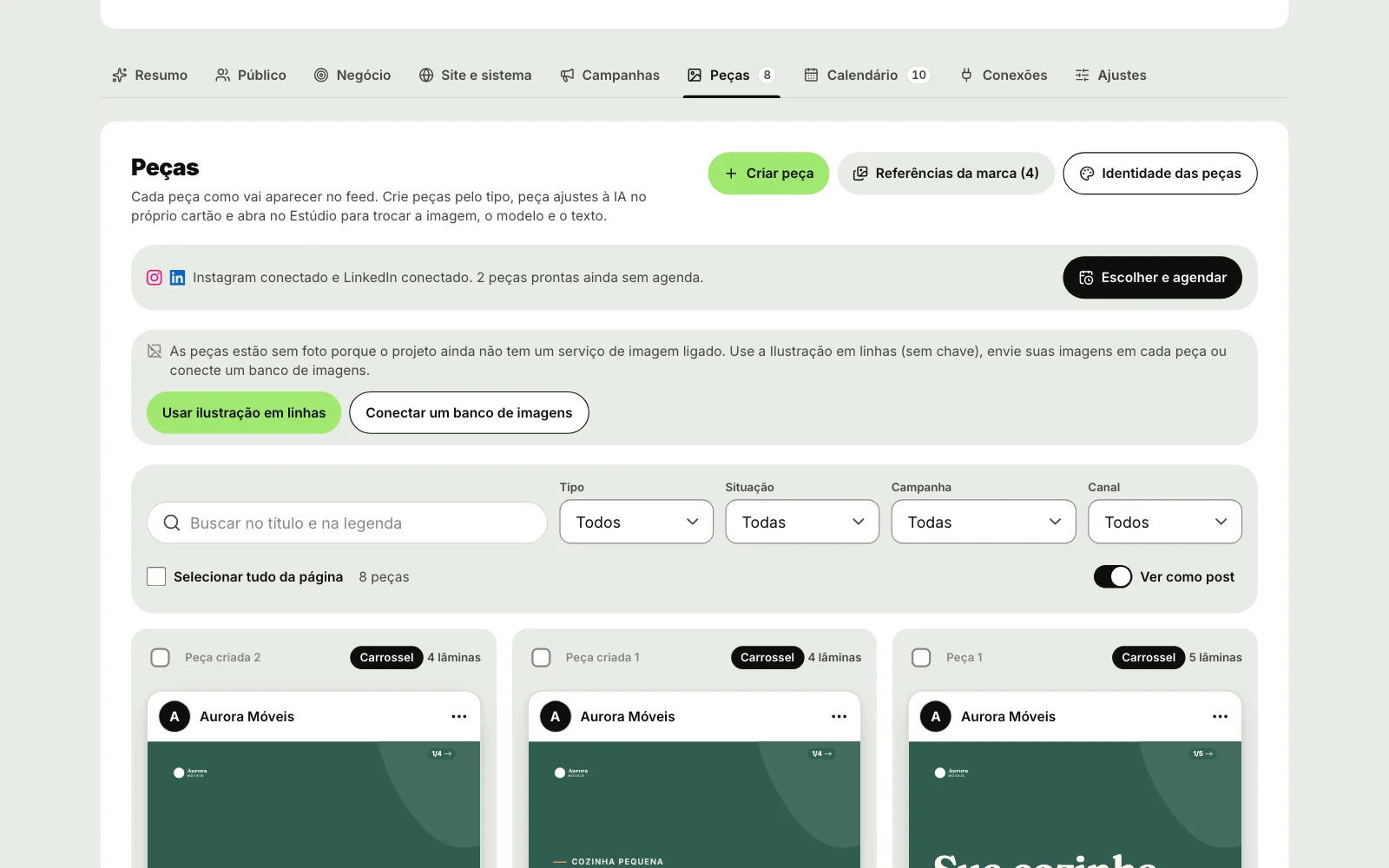
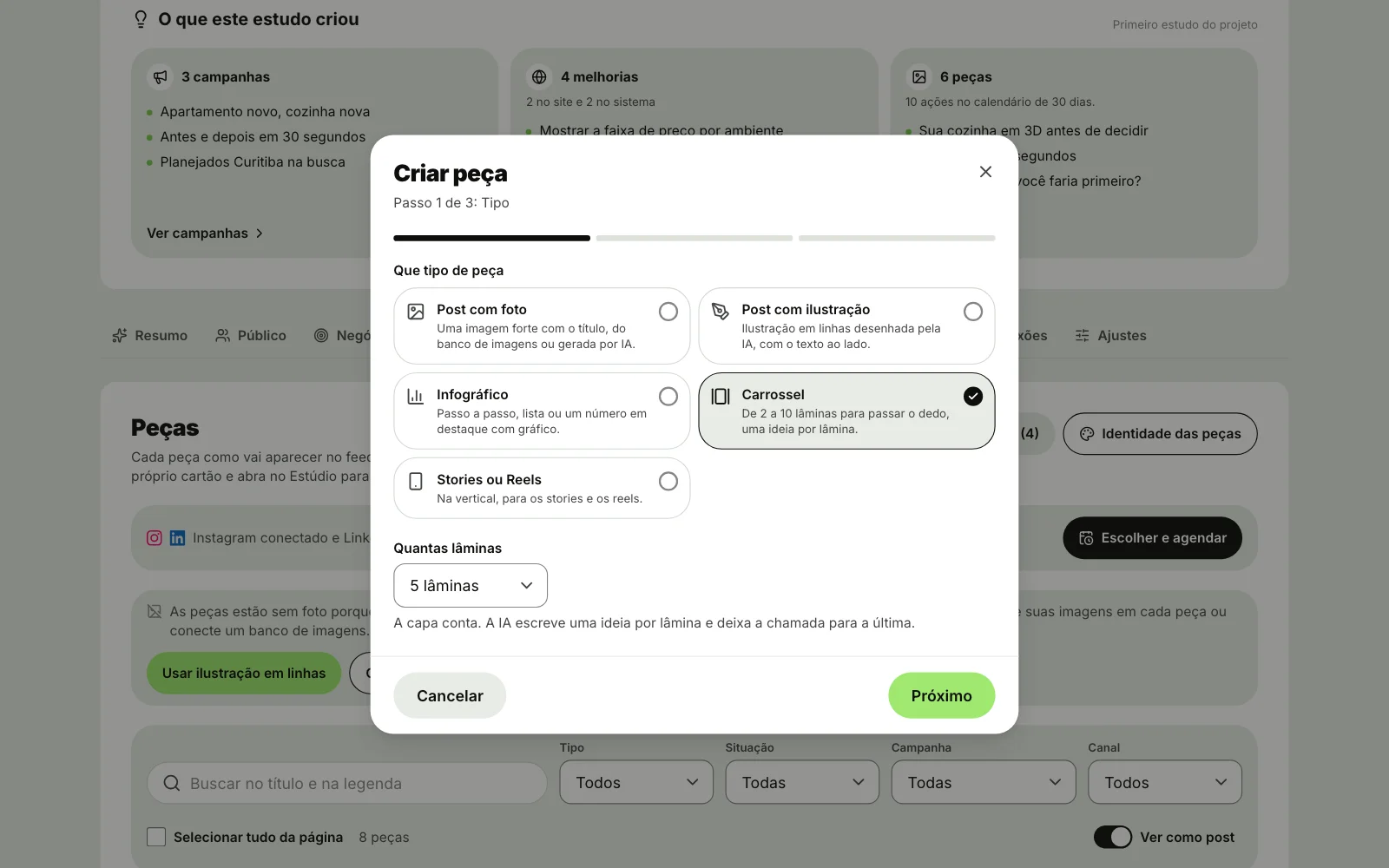
Photo post, illustration post, infographic, carousel or Stories: up to 10 pieces per batch, from a single topic.
- Images from Unsplash or Pixabay, AI generated or drawn in lines
- Up to 12 brand references, read by the AI
- Identity: visual tone, allowed colors and what to avoid
- In bulk: mark as ready, duplicate and schedule
- Download as PNG, as SVG or the carousel slides
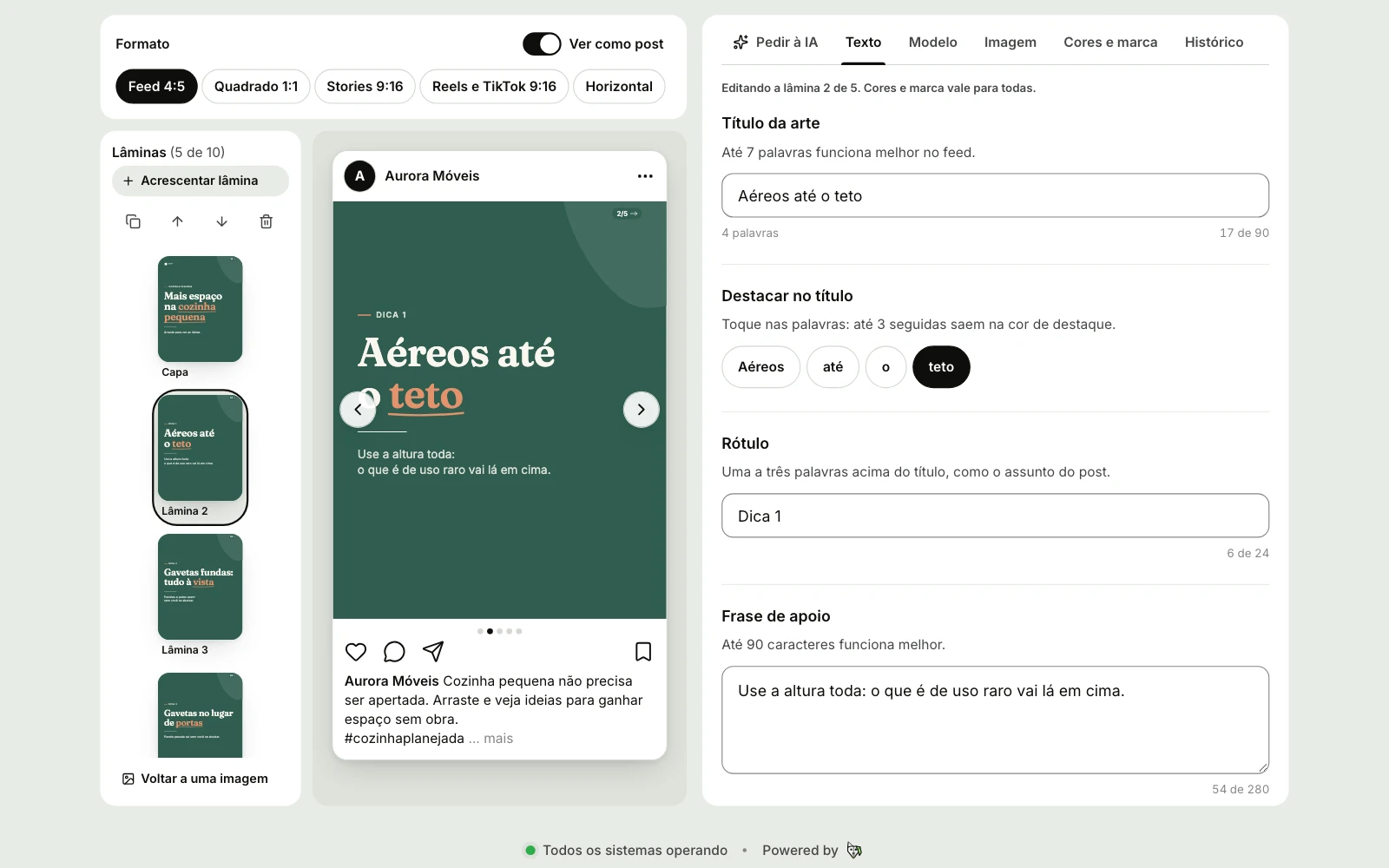
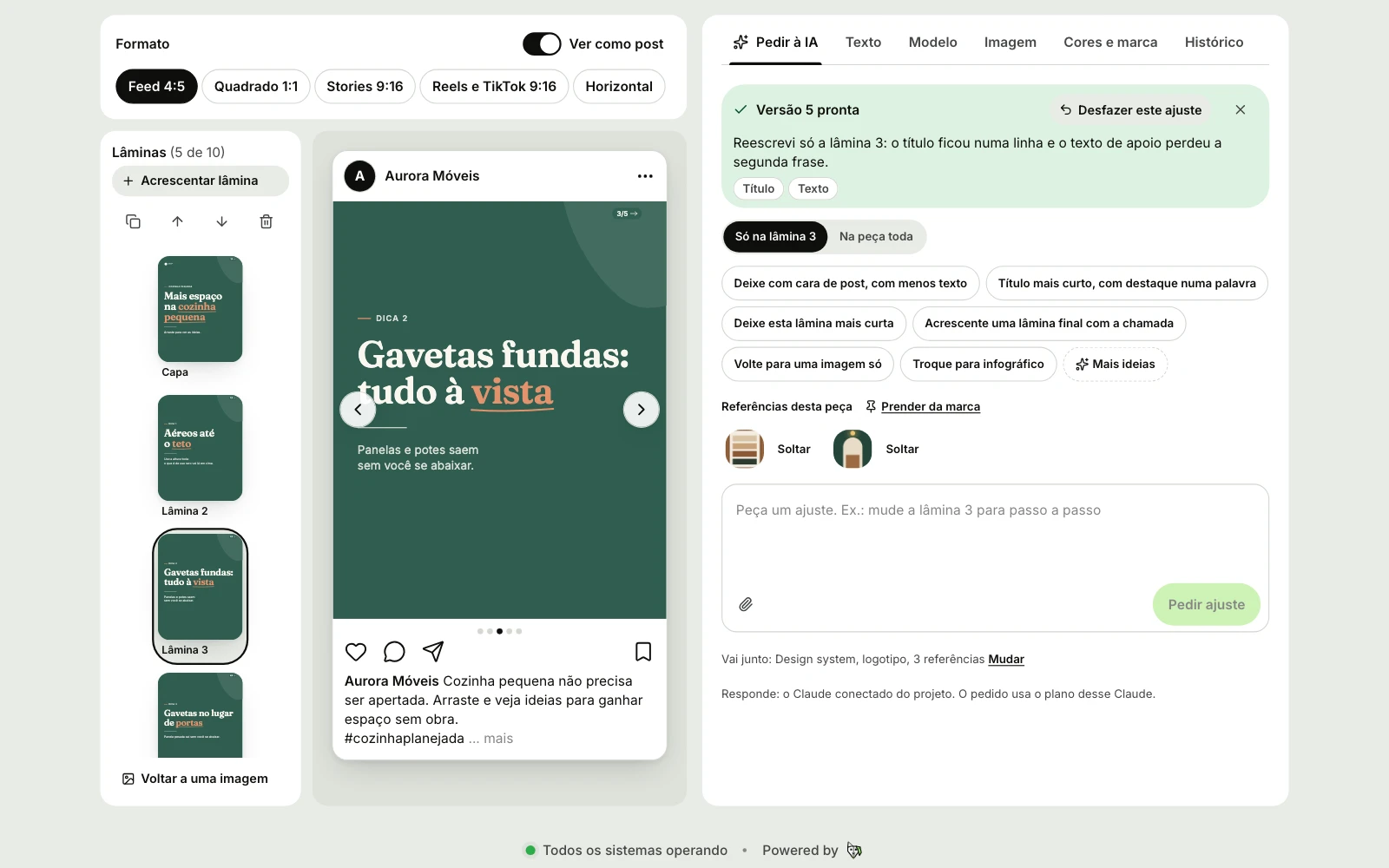
Adjust the piece by asking the AI
In the piece Studio you change text, template, image and format, or ask for the change in one sentence.
- Formats: feed, square, Stories, Reels and landscape
- Templates: featured photo, step by step, number with chart
- Carousel with 2 to 10 slides
- Each change becomes a version, with undo
- The art follows the project's design system and logo
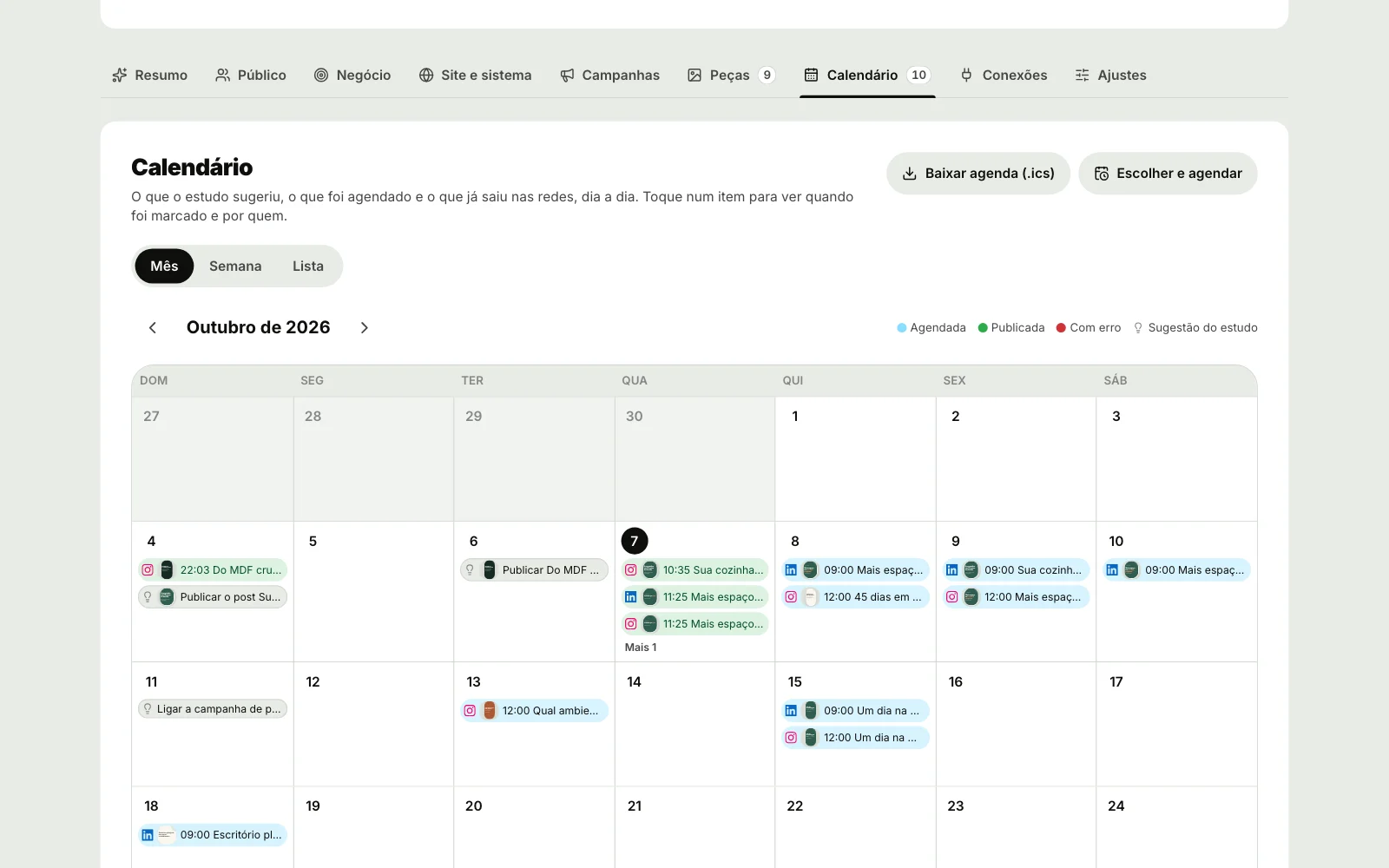
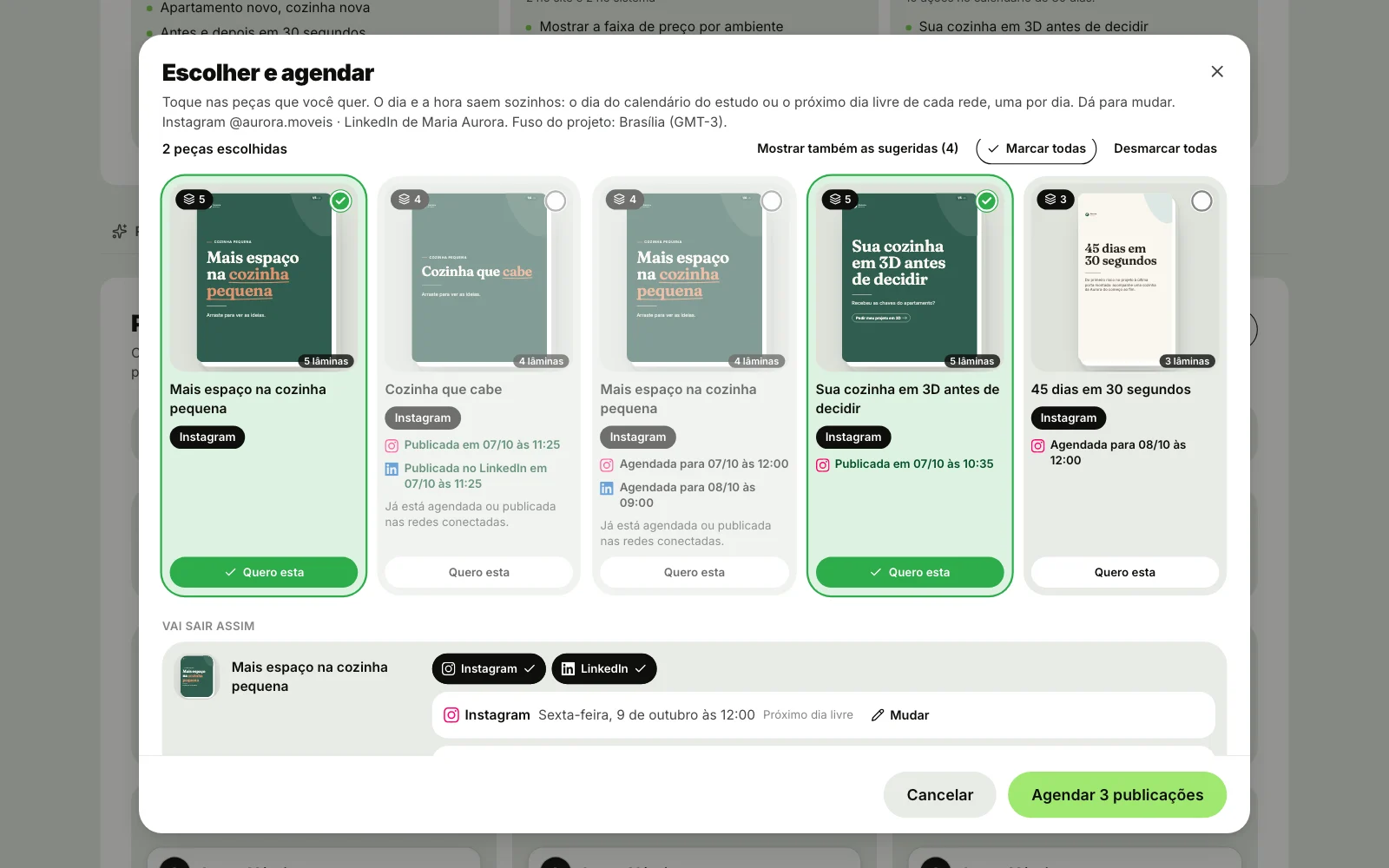
At the scheduled time, benflow posts on its own
Pieces go into the calendar and out to Instagram, LinkedIn and the Facebook Page, with nobody keeping the dashboard open.
- Calendar by month, week or list
- Schedule several pieces at once, on the next free days
- Reschedule, cancel or publish now
- Send the schedule to Google Calendar or download the .ics file
- Carousels go out as carousels on Instagram and LinkedIn
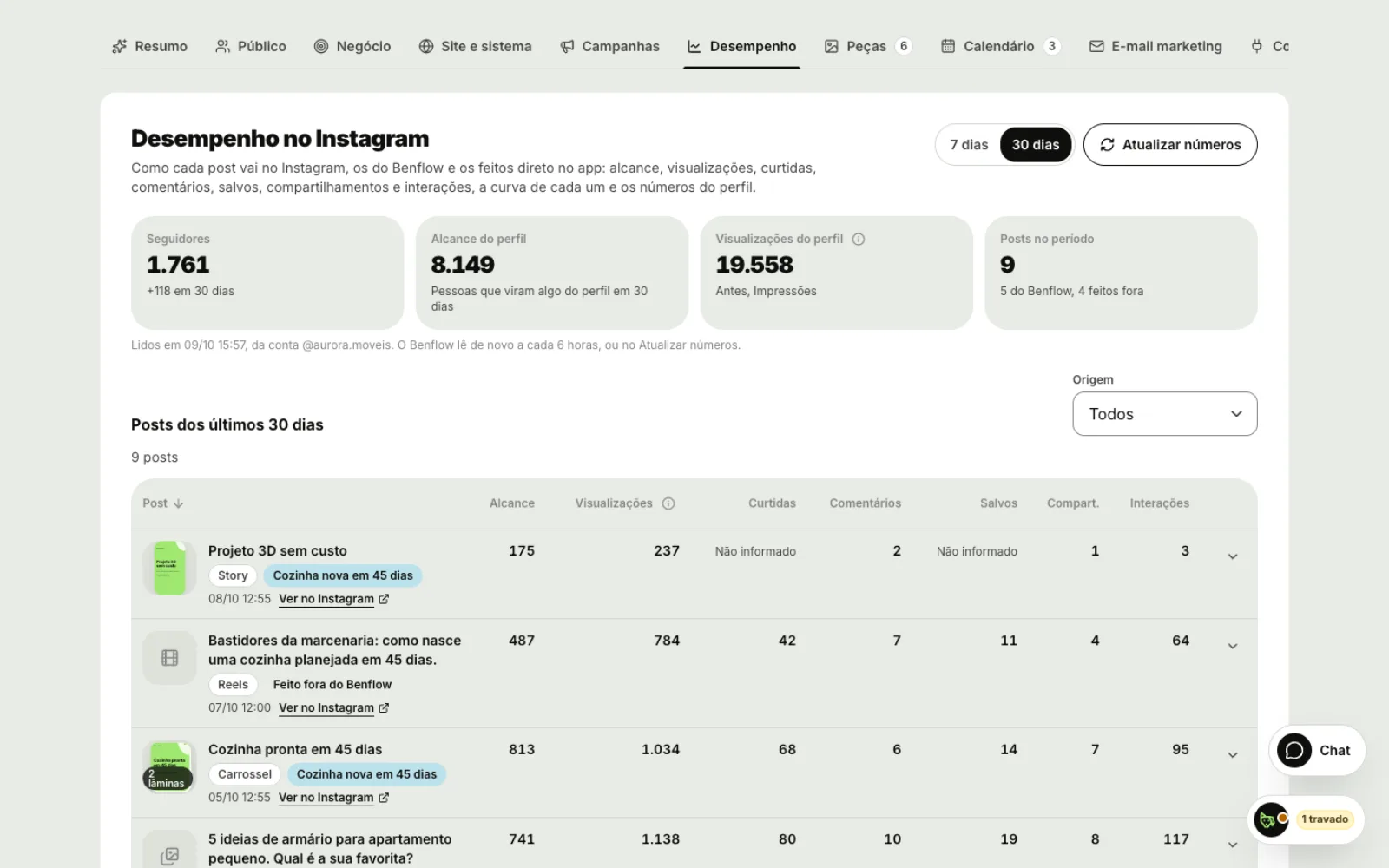
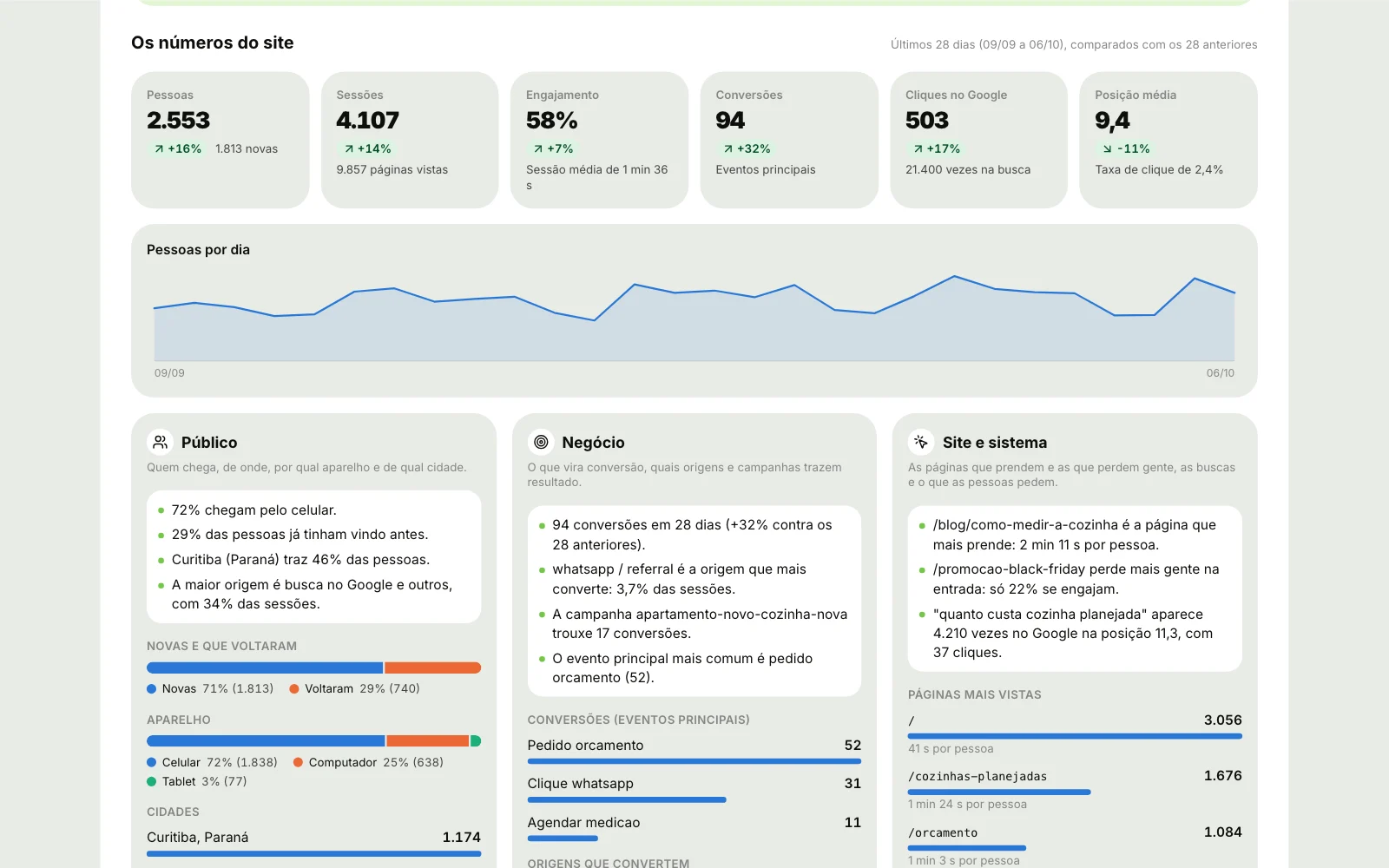
Campaigns, performance and data in one place
Reach, likes and saves for each post, site visits and conversions and Meta ads, side by side.
- Instagram performance over 7 or 30 days
- Google Analytics, Search Console and Hotjar feed the study
- Meta ads in read-only mode: spend, reach, CTR and CPC
- Paid and organic compared for each boosted piece
- UTM link for each campaign
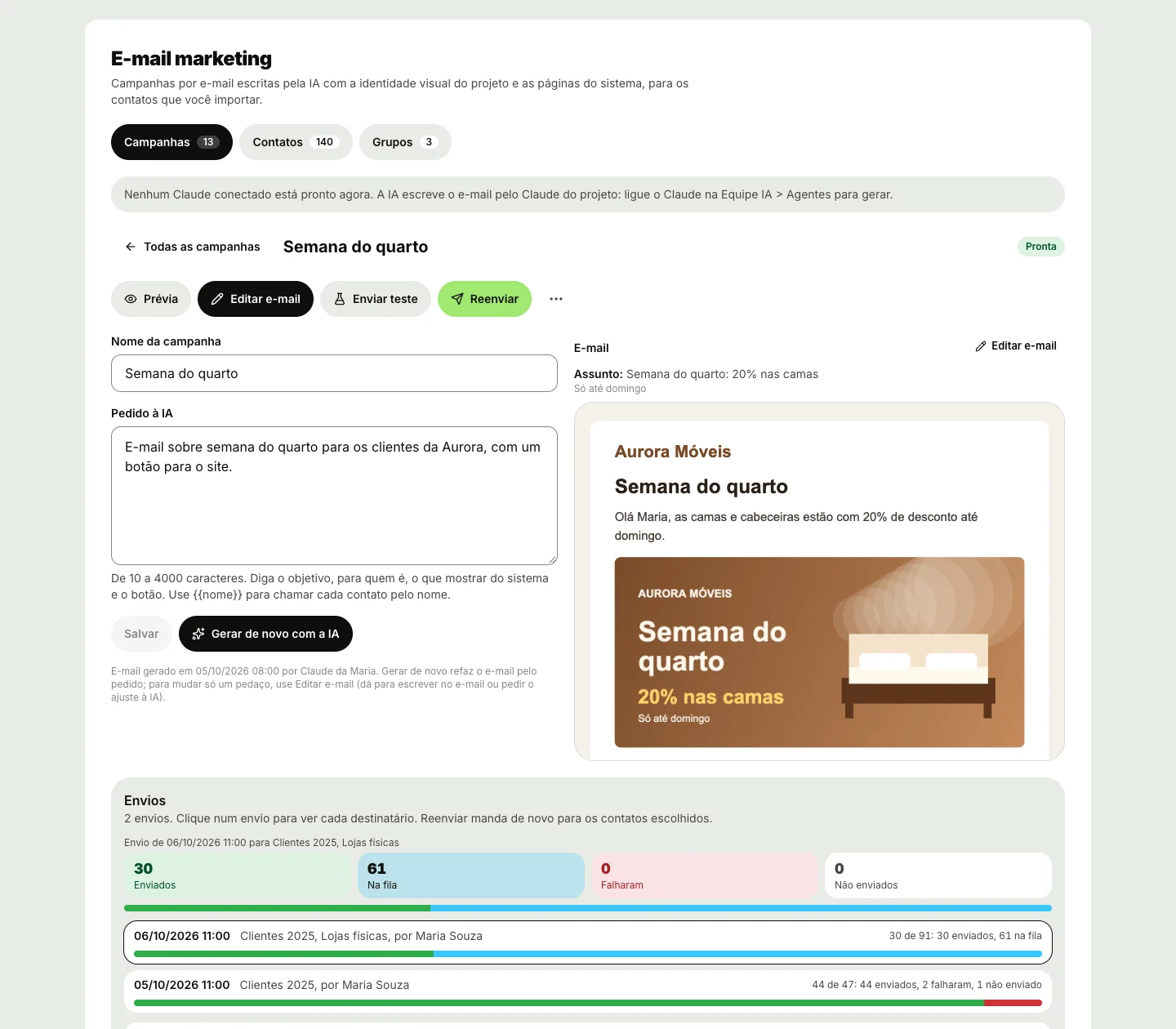
Emails written by the AI for your list
AI-generated campaigns, contacts imported or linked to your system and groups by filters.
- Create the campaign and generate the email with the AI
- Send a test to up to 10 emails first
- Groups by filters: new, or inactive for some number of days
- Import a spreadsheet or link your system's user list
- Unsubscribe link in every email
What you need
- The project's Claude connectedThe AI is your team's: the study, the pieces and the changes run on it.
- Accounts connected by the adminInstagram, LinkedIn, Facebook, Google and Meta Ads, each with its own account.
- Nothing extra on the planMarketing comes with every project, along with the rest of benflow.
Questions about Marketing




- For the study, the AI pieces and the changes, yes: they use the project's Claude, on your team's account. Without it, you can build pieces by hand in the Studio.
- Instagram (business or creator account), LinkedIn (profile or company Page) and the Facebook Page, once Meta approves the app. TikTok, YouTube and video not yet: what you post elsewhere you mark as published.
- No. Meta ads come in read-only: spend, reach, clicks and paid next to organic. Ads are still created in Meta Ads Manager.
- Yes. Upload the image (up to 8 MB) or pick from Unsplash or Pixabay, generate with AI or use the line illustration.
- The project admin connects the accounts, schedules and publishes. The team creates and adjusts the pieces.
- No. At the scheduled time, the benflow server publishes on its own.