For those who keep a system running
The error arrives with the proof included
Put benflow's support button in your system. Users ask for help right there, with a screenshot, video or audio, and the card arrives with the page, browser, console errors and click trail.
Then R$50 per project per month, with unlimited people. You decide whether to continue.
- Whoever asks doesn't need to create an account
- Console, network and click trail in the card
- Live reply on the same button
Request #87 sent
Follow along here. The reply arrives on this same button.
Support without context custa caro
What you hear every week:
- 01
"It doesn't work", and that's all
No screenshot, no page, no browser. The team's first reply is always a question.
- 02
Hours to reproduce
The error that happens on the user's computer never happens on yours.
- 03
Whoever asked is left in the dark
With no reply, the person sends an email, calls and opens another request identical to the first.
- 04
Support outside the flow
The request sits in an email inbox and doesn't make it onto the board, or into the tally of what was done.
All of this has a solution. See below.
From the button click to the fix going live
The request arrives complete, the AI starts from the error and whoever asked follows everything.
"It doesn't work", and that's allTechnical context
The card arrives with what the browser saw
Along with the screenshot, video or audio, the card brings the page, browser, console errors, network failures and clicks leading up to the problem.
- Console, network and trail collected in the card
- The screenshot and video open right there, no download
- Whoever is logged in to the system arrives identified
#87BugSupport button
The schedule doesn't save the 2 p.m. slot
1 console error, 1 network failure
- Page
- /agenda/nova
- Browser
- Chrome 129 on Windows
- Console
- TypeError: slot is undefined
- Network
- POST /api/horarios 500
- Trail
- Schedule > New time slot > Save
ScreenshotVideo 0:14Audio 0:22
Hours to reproduceAI Team
The AI starts from the error
The prompt carries the page, browser and errors. Claude or Codex reads the code and the investigation starts from the right point, not from scratch.
- No hours spent trying to reproduce the problem
- The fix is tested before publishing
- Stage and progress in view on the card
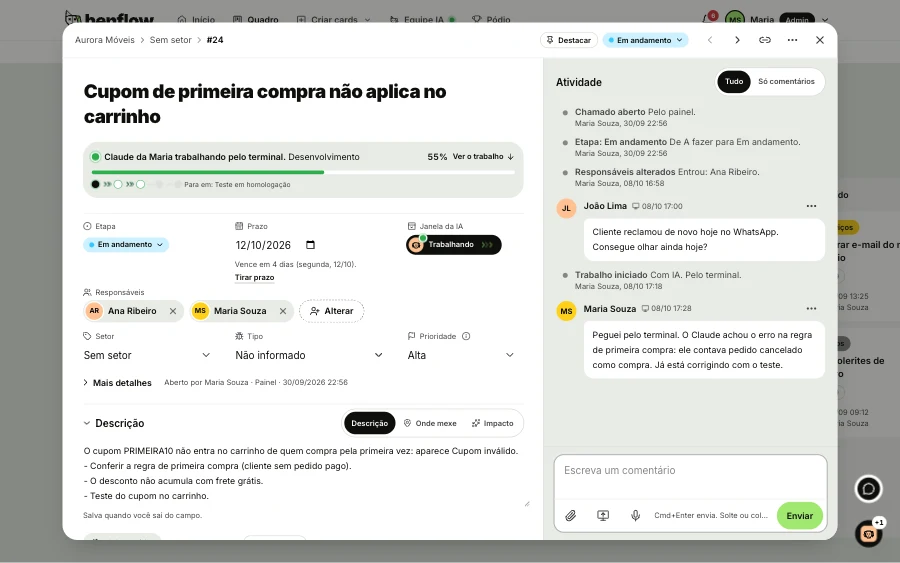
Whoever asked is left in the darkLive conversation
The reply arrives on the same button
Whoever asked sees the request's stage and talks to the team right there, with no email and no phone call. If they solved it on their own, they cancel it themselves.
- The team's internal notes don't appear to whoever asked
- The request's stage always in view
- My tickets: everything the person has already opened
My tickets · #87
Request #87 received. Stage: Analysis
RafaelI found the error. I'm fixing it now.
Stage: Production
RafaelFixed. Can you try again?
ReceptionIt worked, thank you!
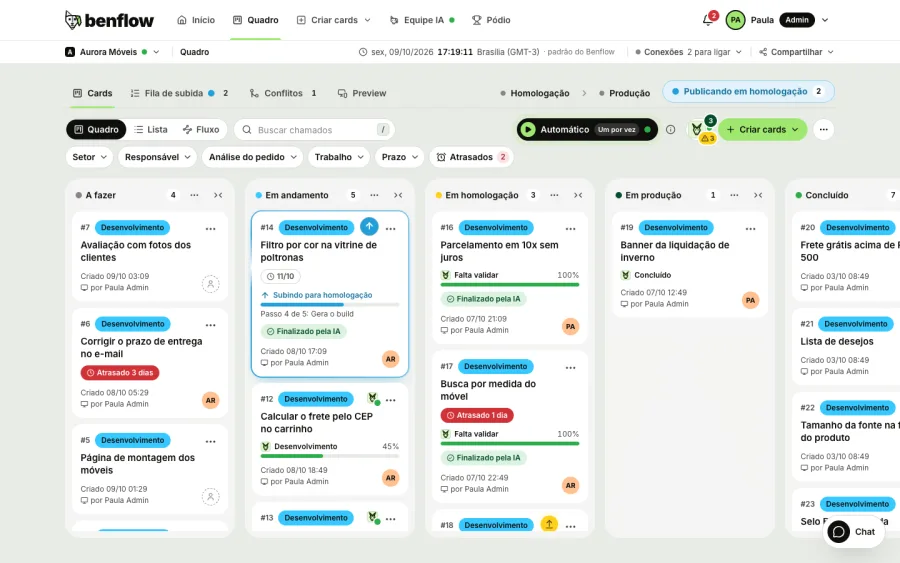
Support outside the flowTeam board
Support goes onto the board
The button's request becomes a card on the same board as development, with a due date and assignee. What was fixed goes into the daily summary.
- Separate Support sector on the board
- Due date and assignee on every request
- Release followed through to the end
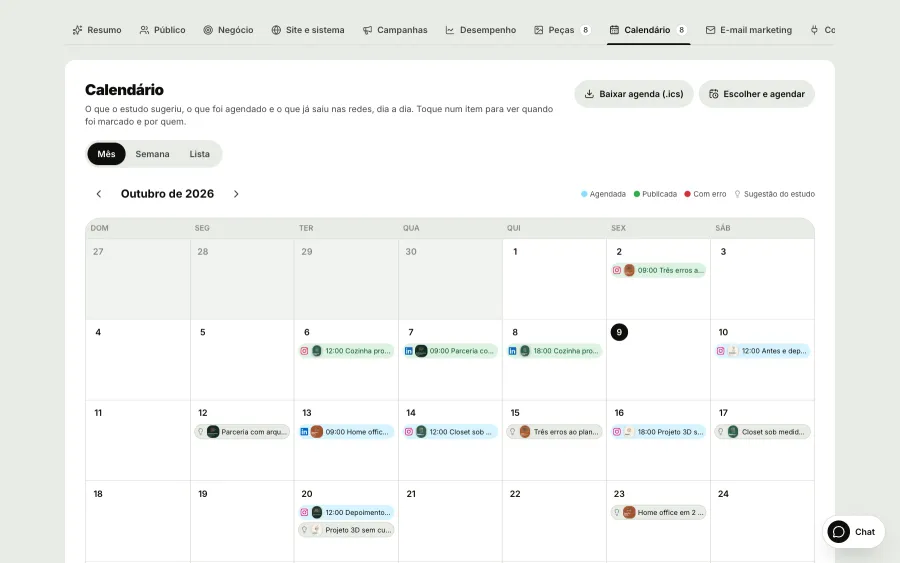
The fix ships and nobody finds outEmail marketing
Tell users what changed in the system
Email marketing brings in your system's users, with the sign-up date and last access, and splits them into groups by filters. The AI writes the email with the project's identity, you send a test and then send it. The same news becomes a piece on the schedule, published to Instagram and LinkedIn.
- Groups by filters, such as who hasn't logged in for 30 days
- Only those who agreed to receive emails get them
- The news becomes a scheduled post on Instagram and LinkedIn
One line of code and it's live
Paste the script into your system or send the widget's direct link. The button takes on your project's branding and starts receiving requests right away.
- Works on any siteHTML, React, Next.js: the panel shows the ready-made snippet for each one.
- Direct linkFor those who can't touch the code: an address that opens the widget full screen.
- Screenshot, video and audioWhoever asks records the screen or explains by talking, installing nothing.
index.html
<body>
  ...
  <script src="https://benflow.net/widget.js" data-benflow-key="sua-chave" async></script>
</body>New in benflow, for support
The fix being released in view, checked on the phone, and the button's requests entering the AI queue on their own.
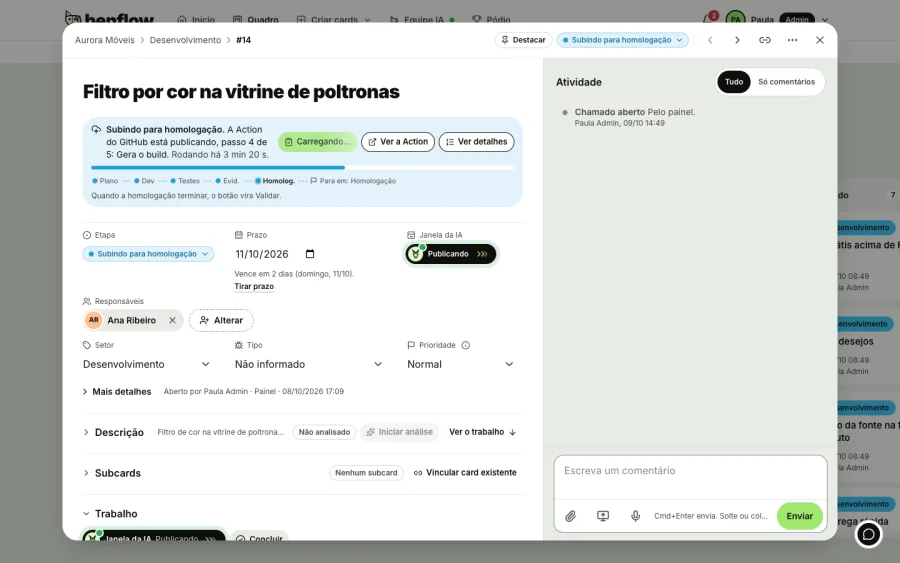
The fix going up, step by step
The fix's card moves to the top of the column with the Action step all the way to production, and whoever asked sees the stage change on the same button.
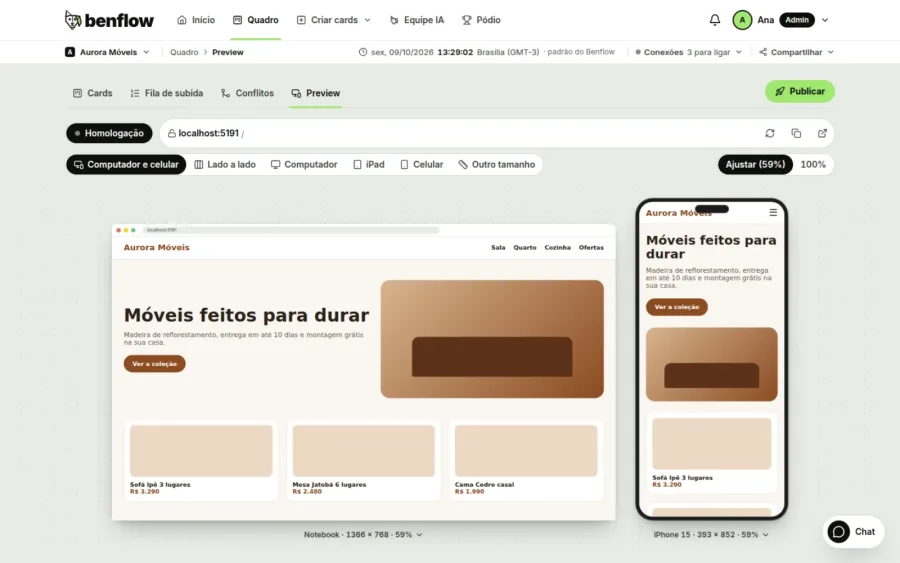
Preview on computer and phone
Check the fix on computer and phone at the same time, in staging or production, before replying to whoever asked.
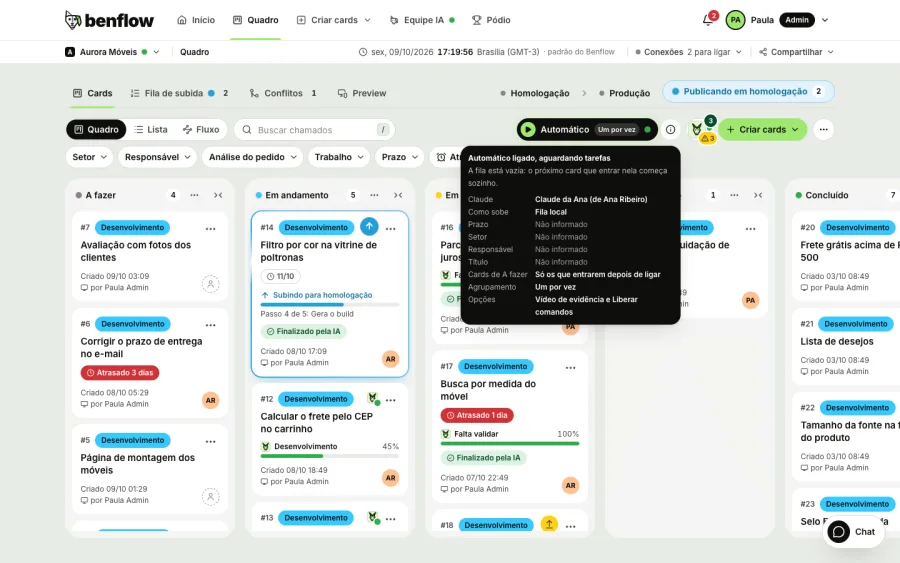
Auto
Filter the auto mode queue by the Support sector and the AI pulls the requests that arrive through the button on its own, starting from the error.
Live
Live network
A live map with the cities of people who use benflow: every card that's born and every delivery that goes live lights up instantly, with no client names.

Users helped, team at ease
The request arrives with proof, the fix ships faster and whoever asked finds out without having to call.
Support the team can actually solve
- Widget in your systemOne line of script or a direct link.
- Technical contextConsole, network, browser and click trail.
- Live conversationWhoever asked follows and replies on the button.
- The AI starts from the errorThe investigation starts from the right point.
- Tested fixTests, screenshots and video before publishing.
- Everything on the same boardSupport and development in the same flow.
Does whoever asks need a benflow account?
No. Anyone can use the button. Whoever is logged in to your system arrives identified on the card.
What comes along with the request?
The screenshot, video or audio the person sends, plus the page, browser, console errors, network failures and click trail.
How do I install it?
With one line of script on your site or system. The panel shows the ready-made snippet for HTML, React and Next.js, and there's a direct link for those who can't touch the code.
Does whoever asked see the team's conversations?
No. Internal notes never appear to whoever asked. The person sees the stage and the public replies.
How do the system's users get into Email marketing?
Through the user source: your system provides the list at an https address with a token, and benflow updates it on its own every 12 hours. Without that address, import users from a spreadsheet.
benflow is also for
Put the button live hoje
Then R$50 per project per month, with unlimited people. You decide whether to continue.
- Panel ready instantly
- Price per project
- Unlimited people
- Cancel anytime