For developers
Fewer messages. More code
The request arrives complete, with attachments and context, and your Claude Code or your Codex starts working on it on your machine. You review, publish, and the client finds out on their own.
Then R$50 per project per month, with unlimited people. You decide whether to continue.
- Claude Code or Codex runs on your machine, in your repository
- Commit conferido no GitHub pela etiqueta do chamado
- Several clients with the same Claude and the same GitHub
$ benflow executar --destino homologacao
benflow: 2 tickets in the batch, Clínica Vida
#44 Novo filtro por convênio
#45 Remarcar consulta pelo e-mail
● Reading the code: src/agenda, api/horarios
● #44 Development
✓ 18 tests passed
✓ commit 3f9a1c2 [#44] filtro por convênio
✓ Deploy to staging complete
benflow: client notified on Telegram
#44ImprovementAI working
New filter by health plan
Staging92%
Your day shouldn't be ler recado
What you hear every week:
- 01
Half the day reading messages
Email, group and phone call. Before opening the editor you've already spent the morning figuring out what the client wants.
- 02
Explaining everything to the AI again
Copy the request, gather the attachments and explain the project context. Every time, for every task.
- 03
Meeting item done twice
The minutes ask for something that already exists, or forget what was missing. You only find out after coding.
- 04
End-of-month report
Remembering what was done, client by client, in order to bill. Time that doesn't become code.
All of this has a solution. See below.
benflow organizes. The AI works
You keep the part that matters: deciding, reviewing and publishing.
Half the day reading messagesProject email and Telegram
The request arrives ready to work on
Each project has an email and a group. The message becomes a card with the attachments, type and due date. The client's reply becomes a comment on the same ticket.
- The email attachments go into the card
- The bot confirms in the group with the ticket number
- The client's audio stays on the card to listen to later
clinica@mail.benflow.net
Filter by health plan in the schedule
Hi, Pedro! Reception needs to filter appointment times by health plan. I'll send a screenshot.
agenda-recepcao.png
#44ImprovementFrom the email
Filter by health plan in the schedule
1 attachment30/09Prompt ready
Explaining everything to the AI againRun tickets
Your AI gets the whole request
Select the tickets or leave it on auto mode: Claude or Codex pulls the queue, reads the code, develops, tests, records the video of what changed and logs the evidence. The prompt already carries the request, the attachments and the destination.
- Auto mode stops and notifies you when a test fails
- Up to three cards at once on the same AI
- Destination of your choice: staging, production or local only
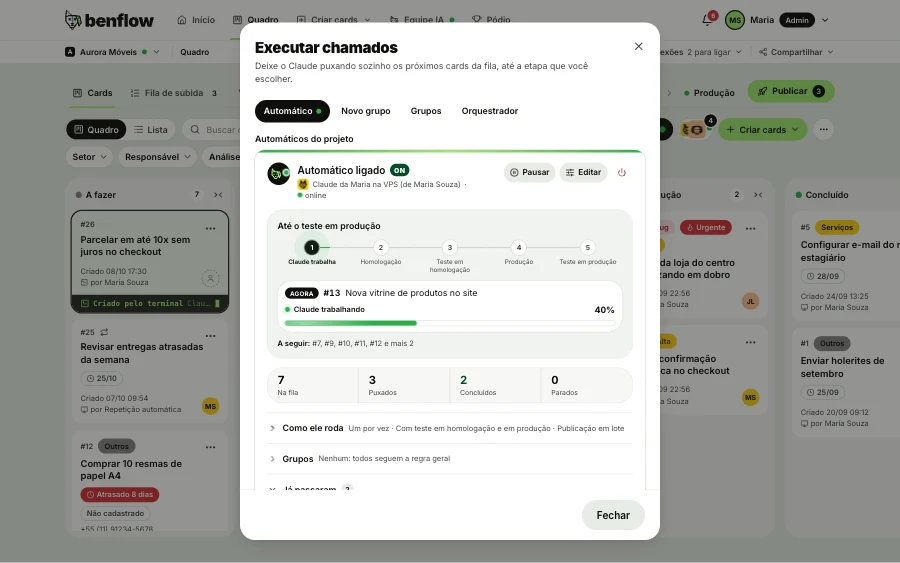
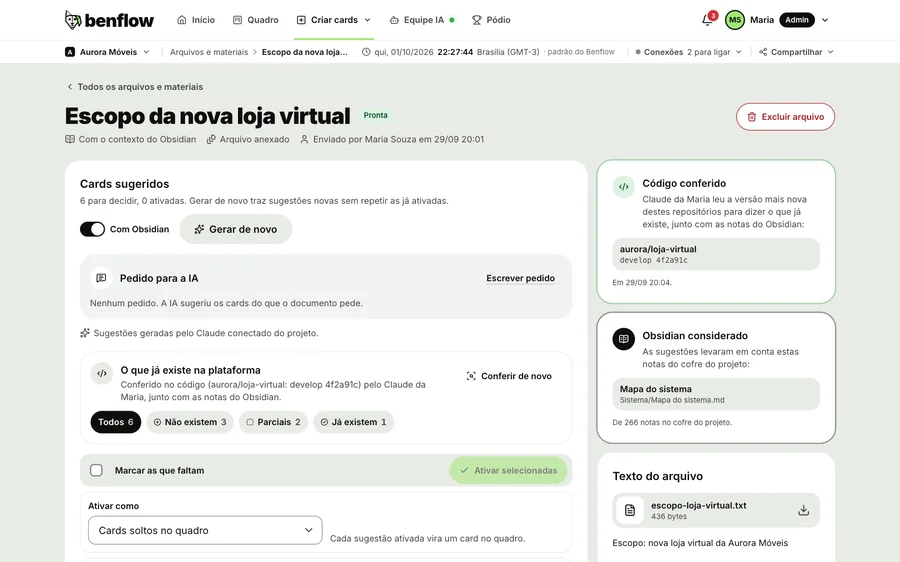
Meeting item done twiceCheck in the code
Minutes checked against the code
Paste the link to the minutes or the meeting text. Claude reads the code and marks what already exists, what's partial and what's new. Only what's missing becomes a card.
- Avoids redoing what's already done
- Works for the panel's minutes or ones pasted from outside
- A requirements document becomes a card with subcards
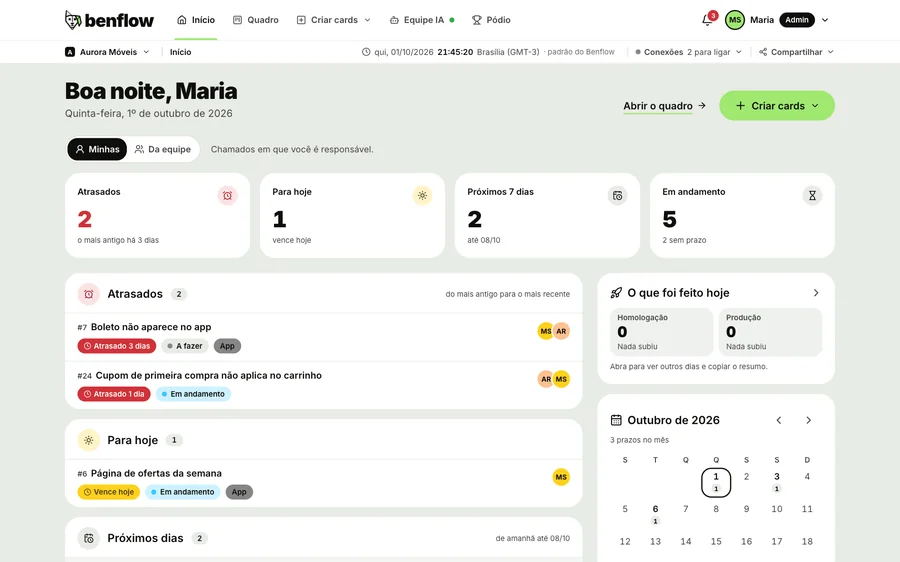
End-of-month reportHome
The day wrapped up, without a report
Home shows what was done today, project by project, with the time of each release. The daily summary arrives by email. Just show it to the client.
- Today, yesterday, 7 days or a period
- Each item with its commit and ticket
- Copy button to send to whoever asked
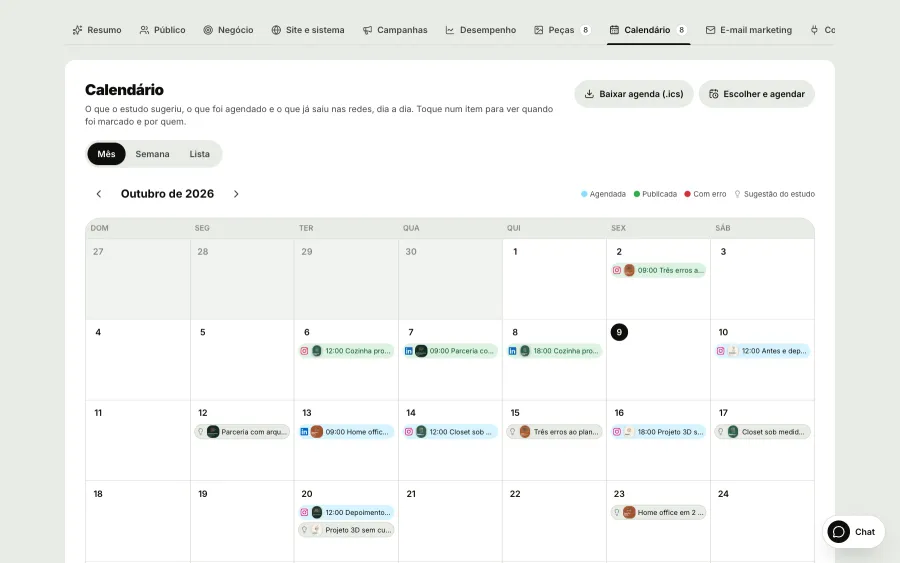
Promotion gets left for laterMarketing with AI
Promote your product without leaving the flow
Turn on marketing in the project and Claude studies the product: persona, audience, business and SWOT. Pieces come out with the project's Design system and logo, the month's schedule is ready and benflow publishes to Instagram and LinkedIn at the set time.
- Pieces with the project's Design system and logo
- Month schedule and automatic publishing
- The improvements the research finds on the site become cards
The project with memory
Profiles, screens, flows, rules and notices linked in a network. The AI consults it before touching anything, and you don't have to keep it all in your head.
- Impact on the systemBefore starting, the card shows the areas, profiles and rules the change touches.
- Networked knowledgeProject notes linked by type: profiles, screens, flows and rules.
- Claude TerminalChat with Claude in the panel: it proposes the list of cards and only opens what you approve.
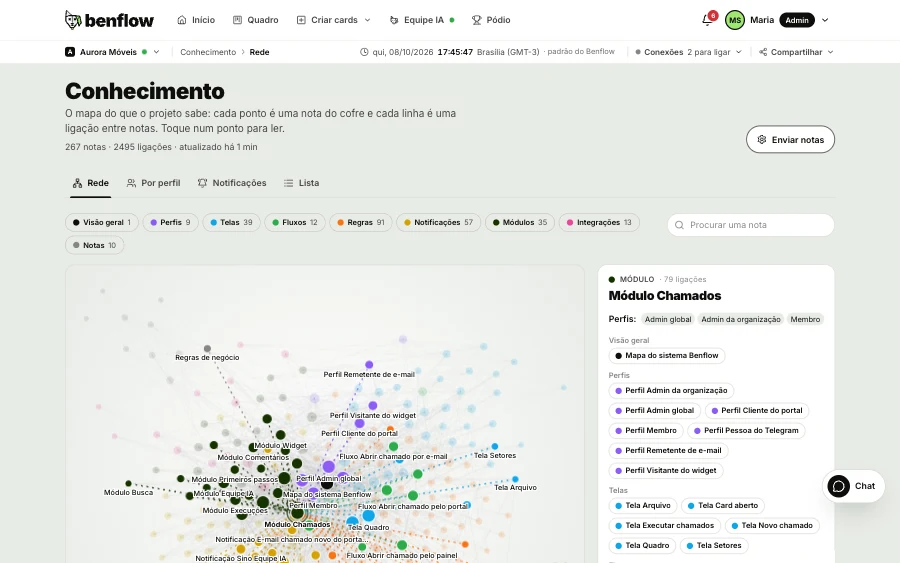
New in benflow, for people who code
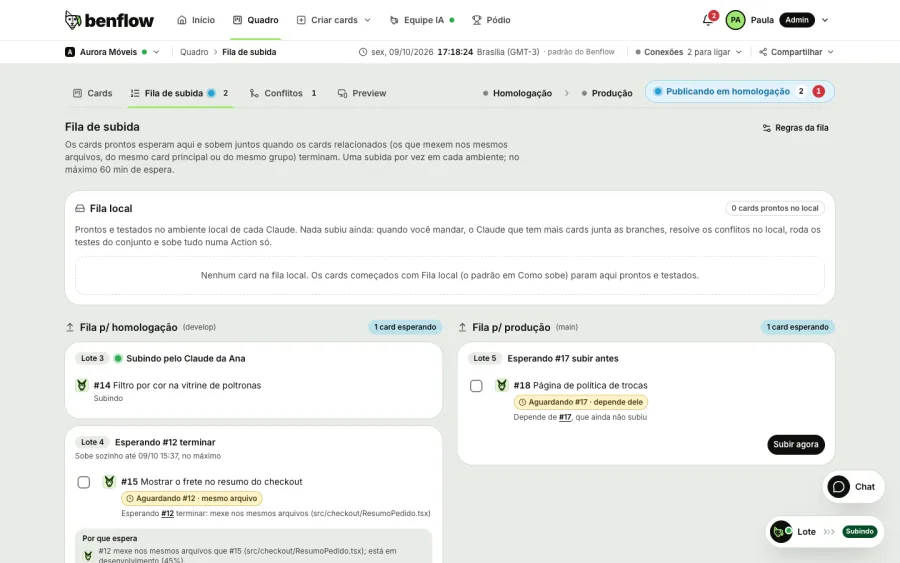
The local queue that goes up in a single Action, Preview with your localhost and auto mode that doesn't keep stopping to ask for confirmation.
Local queue and release in a single Action
Each card is built and tested locally and waits in the Release queue. The batch goes up together, in a single Action, and the card shows the step all the way to production.
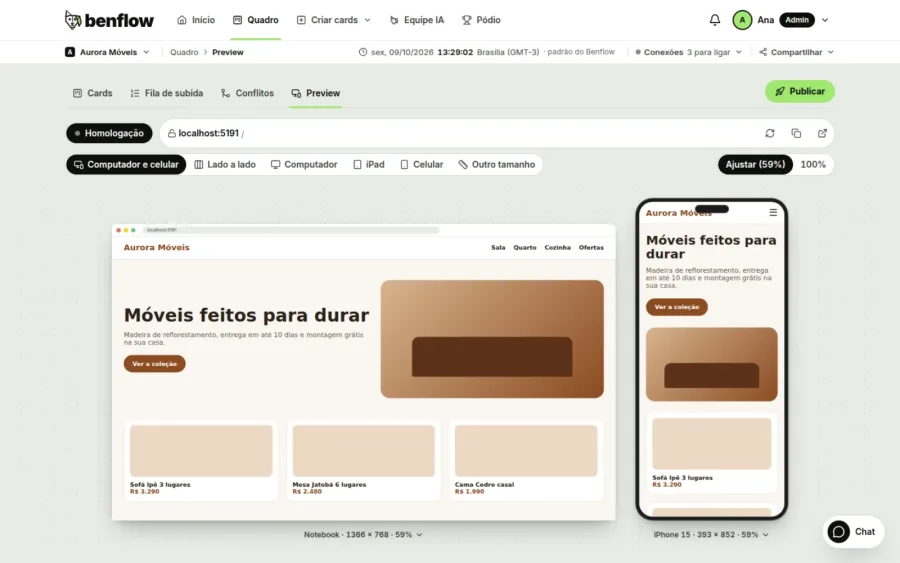
Preview, with localhost too
The local, staging or production site opens inside the panel, on computer and phone at the same time.
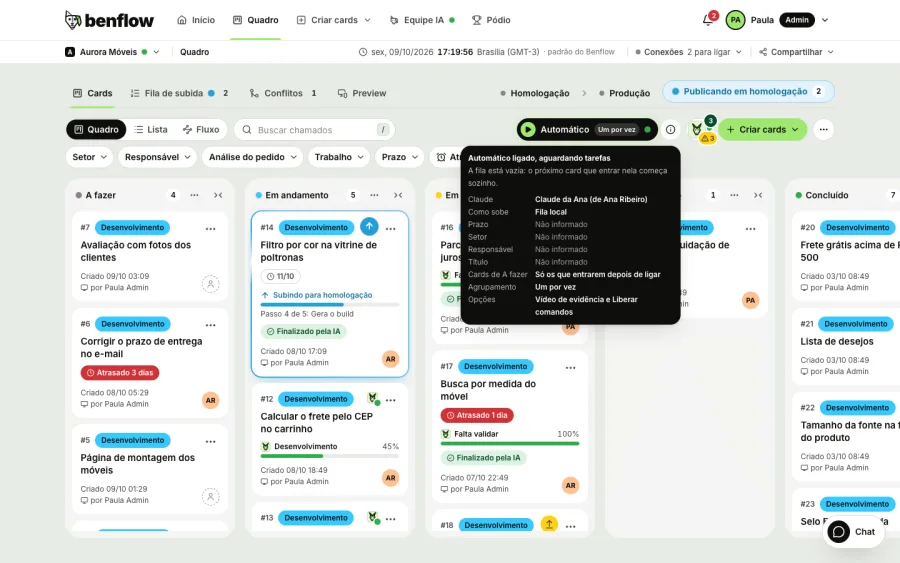
Auto
Claude or Codex pulls the To do cards on its own and, with Allow commands, doesn't stop to ask for confirmation. In the local queue, each card is tested locally before joining the queue.
Live
Live network
A live map with the cities of people who use benflow: every card that's born and every delivery that goes live lights up instantly, with no client names.

Your time goes back to code
With the request organized and the AI speeding up the work, there's time left for what only you can do.
Made for people who code
- Claude Code or Codex on your machinebenflow connects to the AI you already use.
- Auto mode and in parallelThe AI pulls the queue on its own, up to three cards at once.
- Tests, screenshots and videoThe AI records the screen of what changed and attaches it to the delivery.
- Monitored deployCommit conferido no GitHub e deploy até o fim.
- Project knowledgeNetworked notes the AI consults before touching anything.
- Unlimited peopleYou pay per project and invite whoever you need, at no extra cost.
Do I have to use Claude?
For the AI to work, you connect the one you already use: Claude Code or OpenAI's Codex, with the ChatGPT account. The same project can have both. Without AI, the board, channels and portal work as normal.
Where does the work happen?
In Claude Code or Codex on your machine, in your repository. benflow receives the stages, evidence and commit for each ticket.
Who publishes?
You do. The dev has the final say: benflow checks the commit on GitHub by the ticket tag and monitors the deploy.
Can I chat with Claude in the panel?
Yes. The Claude Terminal talks to your Claude or to one a colleague made available to the team. It reads the project, proposes the list of cards and only opens what you approve.
Does it work if I work alone?
Yes. You only pay for the projects you create, one for each client, and you can invite more people whenever you like, at no extra cost.
Does marketing use my Claude?
Yes. The research is done by the Claude connected to the project, which reads the site and the system, and the improvements it finds become cards on the board. Publishing to Instagram and LinkedIn is done by benflow, at the set time.
benflow is also for
Leave the messages to benflow. Keep the code
Then R$50 per project per month, with unlimited people. You decide whether to continue.
- Panel ready instantly
- Price per project
- Unlimited people
- Cancel anytime